
An MCP client is the part of an AI app that connects to MCP servers, asks what tools they offer, and calls them on the model's behalf. The server holds the capabilities, such as "publish this post"; the client carries the request. In everyday use, people say "MCP client" for the whole app wrapped around that connector, and that loose usage is where most buying mistakes begin.
TL;DR:
- An MCP client is the connector inside an AI app that talks to MCP servers; the server exposes tools, the client calls them.
- Clients fall into four kinds (chat apps, code editors, custom agents, purpose-built tools), and the right one depends on the job, not the feature list.
- Check five things before committing: transport, authentication, capability support, tool-count handling and approval controls.
- Building your own Python client takes about 15 lines to start and weeks to make safe across multiple sites.
- For several WordPress sites, a one-time-fee client beats per-site pricing quickly; at $10 per site per month, eight sites cost $960 a year.
Table of Contents
- What Is an MCP Client in AI, and What Does It Actually Do?
- Client vs Server, in Software and in MCP
- The MCP Client List: Four Kinds, and Which One You Want
- MCP Client Support Matrix: Five Things to Check Before You Commit
- MCP Client Download, Android, and the Python Route
- Build or Buy an MCP Client: The Math for Multi-Site Owners
- Where an MCP Client Goes Wrong on WordPress
- Get One MCP Client Across Every WordPress Site You Own
- Frequently Asked Questions
- Sources
What Is an MCP Client in AI, and What Does It Actually Do?
An MCP client is a small piece of software that speaks the Model Context Protocol to a server. When it connects, it asks the server what it can do (its tools, resources and prompts), passes that list to the AI model, and relays any call the model decides to make. Messages travel as JSON-RPC, which the JSON-RPC 2.0 specification defines as a plain request-and-response format.
The terminology trips people up. In the MCP architecture documentation, the host is the AI application you actually use, and the host creates one client for each server it connects to. So strictly speaking, a chat app is a host containing several clients. In practice, everyone calls the whole app "the MCP client," and this article does too unless the distinction matters.
One client per server. The MCP architecture docs describe a host that spins up a dedicated client for every server connection, so connecting ten servers means ten client instances.
That one-to-one rule has a practical consequence. If you manage eight WordPress sites through a client that treats each site as a separate server, you get eight connections, eight sets of tool definitions and eight sets of credentials to look after. Keep that in mind; it comes back in the buying section.
Client vs Server, in Software and in MCP
What is a client in software?
A client is any program that requests a service from another program. Your browser is a client of a web server; your email app is a client of a mail server. The defining trait is direction: the client starts the conversation and the server waits to be asked.
What is client vs server?
The server owns the capability and the data; the client asks for it. The same split applies to MCP, with one twist: the server advertises what it can do before anyone asks for anything specific. The table below maps the roles onto a WordPress setup.
| Client | Server | |
|---|---|---|
| Role | Asks, relays, displays results | Exposes tools and executes them |
| Starts the conversation? | Yes | No |
| In a WordPress setup | The app you type into, plus its connector | The thing that holds your site credentials and runs the actions |
| Who writes it | The AI app vendor, or you | A plugin author, a tool vendor, or you |
| What breaks it | Bad config, unsupported transport | Bad permissions, missing endpoints |
WordPress already has its own client-server relationship underneath: the WordPress REST API handbook documents the endpoints that an MCP server typically wraps. If that layering is fuzzy, API Explained: How Software Talks, Using Your WordPress Site walks through it using a real site. For the server side of the pair, see How to Set Up an MCP Server: Local, Remote, and When Not To.
The MCP Client List: Four Kinds, and Which One You Want
There is no single canonical MCP client list worth memorizing, because new ones appear monthly and old ones change what they support. Sorting them by kind ages better.
| Kind | Typical use | Strength | Catch |
|---|---|---|---|
| Chat apps | Asking an assistant to do things | Easiest start, polished approval prompts | Usually one account, one set of servers |
| Code editors with MCP built in | Developers wiring tools into coding work | Great for repos and scripts | Built for code, not for a client's blog menu |
| Custom agents | Automation you control end to end | Total flexibility | You own every failure |
| Purpose-built tools | One job, done repeatedly | Fewer decisions, less setup | Only as broad as its maker intended |
If you searched for an editor-based client, the second row is your answer, and it's an excellent choice if your work is code. For WordPress admin (posts, menus, plugins, comments) I would pick a chat-app-style or purpose-built client over an editor, because the approval prompts and conversation flow suit content work better than a diff view does.
For the broader question of which tool fits which job, WordPress Management Tools: Pick by Job, Not by Feature List covers the same logic outside MCP.
MCP Client Support Matrix: Five Things to Check Before You Commit
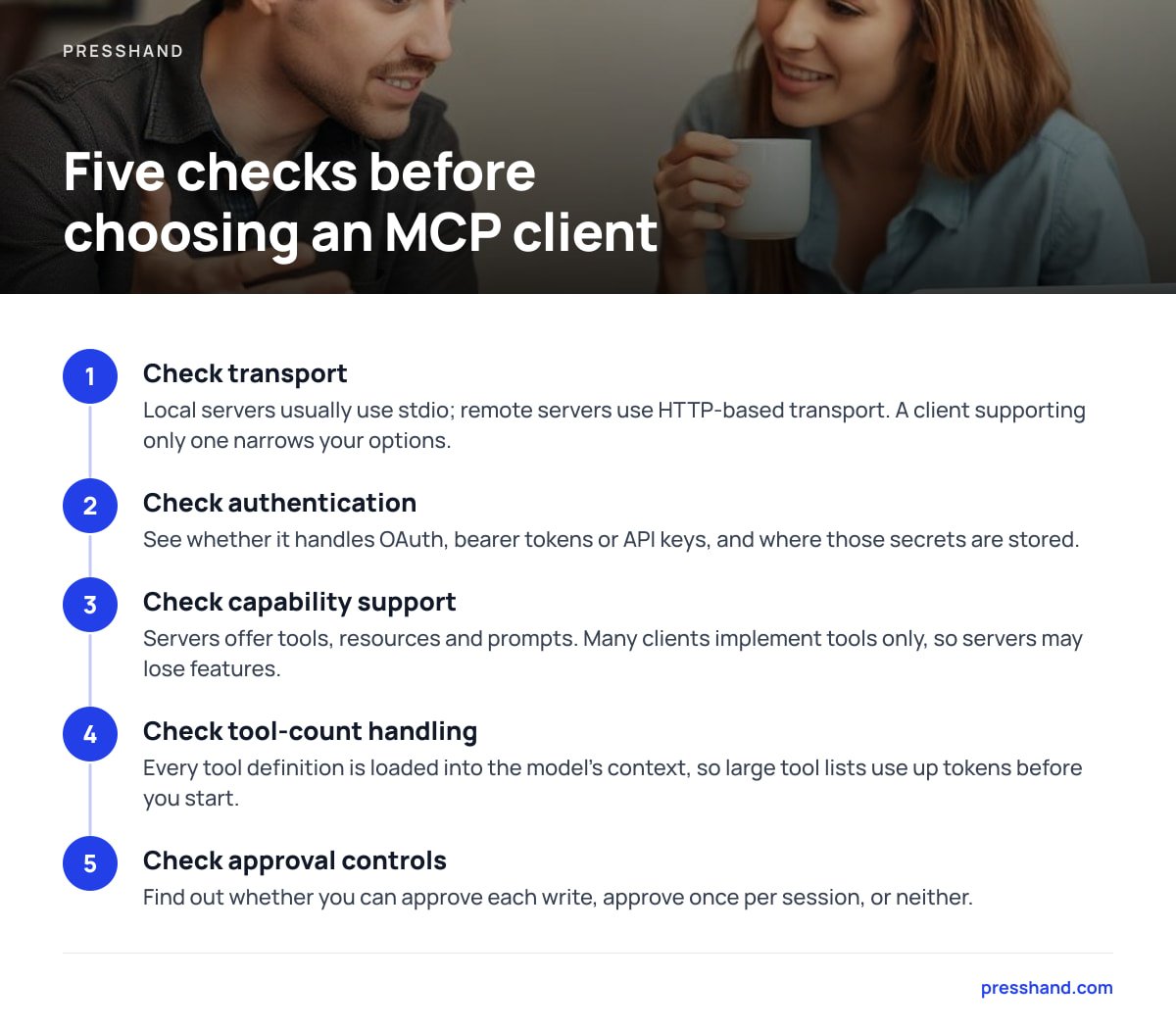
Every client page claims it "supports MCP." That sentence covers a wide range of behavior. A real MCP client support matrix has five columns, and you should fill them in before you commit to anything.
- Transport. Local servers usually talk over stdio, where the client launches the server as a subprocess. Remote servers use HTTP-based transport. A client that only does one of these narrows your options sharply.
- Authentication. Check whether it handles OAuth, bearer tokens or API keys, and where those secrets are stored. "In a plain-text config file" is a legitimate answer, but you should know it.
- Capability support. Servers can offer tools, resources and prompts. Many clients implement tools only, so a server that leans on resources or prompts may quietly lose half its features.
- Tool-count handling. Every tool definition is loaded into the model's context. A server exposing 80 tools at a rough 150 to 300 tokens each (measure your own; this is a working range, not a standard) burns 12,000 to 24,000 tokens before you've typed a word.
- Approval controls. Can you approve each write, approve once per session, or neither? For client sites, per-write approval is worth a slower afternoon.
The obvious advice is to choose the client supporting the most features. I'd argue the opposite for admin work: pick the one that fails loudly and asks permission, because a silent failure on a client's live homepage costs more than any missing feature.
MCP Client Download, Android, and the Python Route
Is there an MCP client download?
Not as a single thing. "MCP client" is a role, not a product, so you download an app that contains one, or install a library to build your own. Check where the app runs: on your machine, on a server you control, or hosted by someone else. That decides where your site credentials end up.
Does an MCP client run on Android?
Mostly not in the way you'd hope. Local stdio servers depend on launching a subprocess, which is awkward on a phone, so mobile use in practice means pointing at a remote server over HTTP. If phone access matters, treat "remote-capable" as a requirement and ask the vendor directly.
What is a Python client?
A Python client is a program written in Python that calls another service; with MCP, it's a script that uses the official SDK to connect to a server and call its tools. The MCP Python SDK installs with pip install mcp. Here is a minimal MCP client example that connects over stdio and lists what a server offers:
import asyncio
from mcp import ClientSession, StdioServerParameters
from mcp.client.stdio import stdio_client

params = StdioServerParameters(command="python", args=["my_server.py"])

async def main():
    async with stdio_client(params) as (read, write):
        async with ClientSession(read, write) as session:
            await session.initialize()
            tools = await session.list_tools()
            print([t.name for t in tools.tools])

asyncio.run(main())
That runs in an afternoon. What it does not do is decide which tool calls a human should approve, retry a failed request, log what changed on which site, or keep eight sets of credentials apart.
Build or Buy an MCP Client: The Math for Multi-Site Owners

Building is worth it if your workflow is unusual and you enjoy the plumbing. For most freelancers and small agencies it isn't, and the reason is arithmetic rather than skill. A 15-line script becomes a product the moment it has to touch client sites: you need an approval step, an audit trail, per-site credentials and a way to revoke access.
Pricing is the other half. Take a hypothetical per-site fee of $10 a month. Eight sites is $960 a year, and the bill grows every time you win a client. A one-time license changes that curve: your twelfth site costs the same as your first, which is nothing extra.
$960 a year for eight sites at $10 each, versus a single payment that doesn't care whether you manage eight sites or eighty.
If you're still deciding how the pieces fit into daily work, WordPress Workflow: A Practical Setup for Several Sites lays out a routine that doesn't depend on any particular client.
Pro Tip: Give every client its own WordPress application password, and name each password after the machine using it ("studio-laptop", "build-server"). Application passwords arrived in WordPress 5.6, and the WordPress core team's integration guide notes they're meant to be revoked individually. By default, WordPress only offers them on HTTPS sites, with local environments as the exception. When a laptop goes missing, you revoke one line instead of rotating credentials across every site.
Where an MCP Client Goes Wrong on WordPress
Most failures are boring. Credentials expire, a security plugin blocks REST requests, or the model calls a tool that doesn't quite fit and the client dutifully passes it along. A client can only be as careful as its approval settings.
Content quality is a separate risk. An AI can publish a tidy post with a weak title and no internal links, and nothing in the protocol will flag it. Pair any client with a scoring step before publishing; AI SEO Audit: What It Checks, What It Misses, What to Fix explains where automated checks help and where they only give you comfort.
My rule: start read-only. Ask the client to audit, list and report on one site for a week before it's allowed to write anything. It's slower, and it's the cheapest insurance on offer.
Get One MCP Client Across Every WordPress Site You Own
Everything above points to the same gap: a client that handles many sites, asks before it writes, and doesn't bill per site. Presshand is a WordPress MCP client that runs on your own machine or server and connects Claude or ChatGPT to all your sites. It covers 83 WordPress jobs, from posts, pages and images to menus, plugins, CSS and comments, and scores live pages out of 100 for SEO alongside Yoast, Rank Math, All in One SEO or SEOPress.
The license is $97 one time for every site you own, with optional updates at $49 a year after the first 12 months. Agencies can take the $197 license with rebrand and resell rights, and a ReplaStats analytics bonus (three months, plus the WordPress plugin to keep) comes with it. The honest limit: 83 jobs is a defined list, not "anything WordPress can do," so check it against your own routine before buying. If your most frequent task isn't on it, you'll want to know now.
Frequently Asked Questions
What is an MCP client in AI?
An MCP client is the component inside an AI application that connects to MCP servers, discovers their tools and passes the model's tool calls along. It speaks the Model Context Protocol so the model can act on external systems, such as a WordPress site, without custom code for each one.
What is a client in software?
A client is a program that requests a service or data from another program, called a server. Browsers, email apps and mobile apps are all clients. The client starts the conversation; the server waits and responds.
What is a Python client?
A Python client is a Python program that connects to a service and uses it. For MCP, it's a script built with the official Python SDK that opens a session with a server, lists its tools and calls them. It's quick to prototype but leaves approvals, logging and credential handling to you.
What is client vs server?
The server holds the data or capability, and the client asks for it. In MCP, the server advertises its tools and the client relays the model's requests to them. A WordPress MCP server, for example, runs the actions, while the chat app's client carries your instructions.
Is there an MCP client for Android?
Mobile support is thin and varies by app. Local servers rely on launching a subprocess, which doesn't suit phones, so phone use generally means a remote server over HTTP. Confirm remote support with the vendor before relying on it.
Sources
- MCP Architecture Overview | Model Context Protocol
- JSON-RPC 2.0 Specification | JSON-RPC Working Group
- MCP Python SDK | Model Context Protocol (GitHub)
- WordPress REST API Handbook | WordPress.org Developer Resources
- Application Passwords: Integration Guide | WordPress Core Team