
MCP server setup comes down to one decision and three steps. The decision is transport: a local server talks to your AI client over stdio, while a remote server talks over HTTP and needs authentication. The steps are to write the server, register it in your client's config file, and test it before trusting it. Most failed setups are not code problems. They are path, environment and logging problems.
TL;DR:
- Choose transport first: stdio for a server on your own machine, streamable HTTP for anything shared or remote.
- Never print to stdout in a stdio server. It is the protocol channel, and one stray print breaks the connection.
- Use absolute paths and explicit environment variables in client configs, because clients launch servers without your shell profile.
- Test with the MCP Inspector before you connect a real client, so you separate server bugs from client bugs.
- Every extra server adds tool definitions to the model's context, so run fewer, narrower servers rather than many broad ones.
Table of Contents
- What an MCP Server Is, and Which Half You Are Building
- Local or Remote: Pick the Transport Before You Write Code
- Setting Up a Server in Python, Step by Step
- Testing Before You Connect Anything: Inspector First
- Setting Up an MCP Server on Android and Other Odd Targets
- Running Multiple MCP Servers Without Drowning the Model
- Connecting an MCP Server to a Database
- Fixing the Failures: Why It Worked in Your Terminal and Not in the Client
- Skip the Plumbing for WordPress: Get a Working MCP Setup in Minutes
- Frequently Asked Questions
- Sources
What an MCP Server Is, and Which Half You Are Building
The Model Context Protocol is an open standard that lets an AI application call tools and read data through a common interface. It has two halves. The client lives inside the AI application, such as Claude Desktop or an IDE. The server is the small program that exposes your tools, resources and prompts.
Setting up a server means writing or installing that second half and telling the first half where to find it. You are not training anything or building an agent. You are publishing a list of functions with names, descriptions and typed inputs, and the model decides when to call them.
A server can expose three things:
- Tools. Functions the model can call, such as "create a post" or "query a table". These are what most people mean by MCP.
- Resources. Read-only data the client can pull in, such as a file or a record.
- Prompts. Reusable prompt templates the user can trigger on purpose.
If you only build tools, you have built a perfectly good server. Do not feel obliged to add the other two.
Local or Remote: Pick the Transport Before You Write Code

The protocol defines two standard transports, and the choice shapes everything after it. The MCP specification describes stdio and streamable HTTP, and it is worth reading the transport section once before you commit.
| Local (stdio) | Remote (streamable HTTP) | |
|---|---|---|
| Where it runs | Your machine, launched by the client | A server you host |
| Authentication | None needed, inherits your user | Required (OAuth or tokens) |
| Setup effort | Minutes | Hours, plus hosting |
| Shareable with a team | No | Yes |
| Main risk | Runs with your full user permissions | Exposed endpoint |
My position: start local, and stay local until a second person genuinely needs the same server. A stdio server has no network surface to defend. The moment you go remote, you own TLS, auth, rate limits and uptime, which is a small ops job you did not have an hour earlier.
Go remote when the server needs to reach a system your laptop cannot, or when a team must share one configuration. Not before. For a deeper walk through that decision, see How to Set Up an MCP Server: Local, Remote, and When Not To.
Setting Up a Server in Python, Step by Step
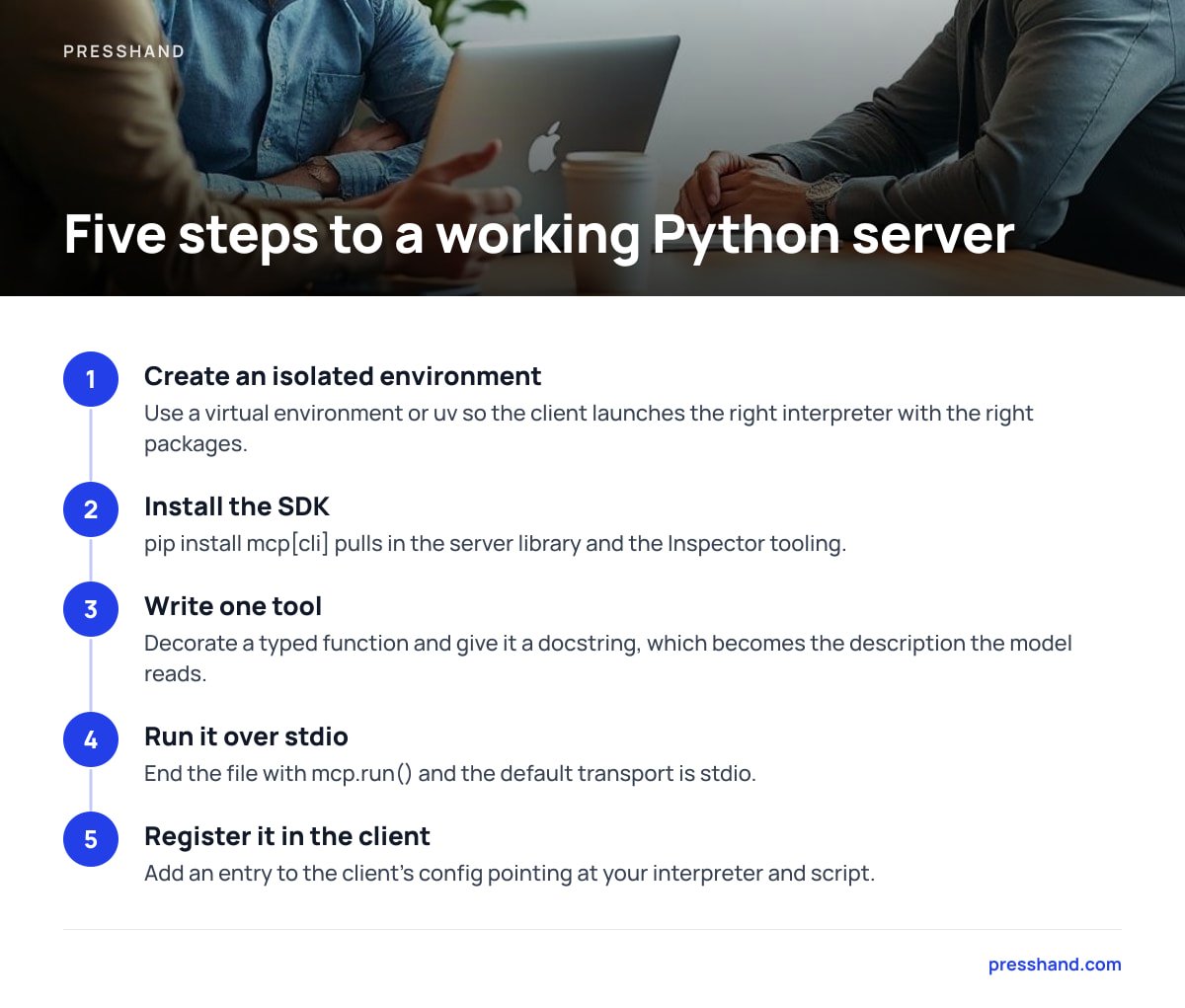
Python is the quickest route because the official SDK handles the protocol plumbing. The shape below uses the SDK's FastMCP helper.
- Create an isolated environment. Use a virtual environment or
uvso the client launches the right interpreter with the right packages. - Install the SDK.
pip install "mcp[cli]"pulls in the server library and the Inspector tooling. - Write one tool. Decorate a typed function and give it a docstring. The docstring becomes the description the model reads, so write it for the model, not for yourself.
- Run it over stdio. End the file with
mcp.run()and the default transport is stdio. - Register it in the client. Add an entry to the client's config pointing at your interpreter and script.
A minimal client entry looks like this:
{
  "mcpServers": {
    "notes": {
      "command": "/home/you/proj/.venv/bin/python",
      "args": ["/home/you/proj/server.py"],
      "env": { "NOTES_DIR": "/home/you/notes" }
    }
  }
}
Notice that every path is absolute and the environment variable is declared in the config. That is deliberate, and the next section explains why.
A stdio server's stdout is the protocol channel itself. One stray
print()writes garbage into the JSON-RPC stream and the client drops the connection.
Log to stderr or a file instead. This single rule accounts for a large share of "my server connects and then dies" reports.
Pro Tip: When a tool misbehaves, do not rewrite the code first. Rewrite the tool description. Models choose tools by reading the description and parameter names, so a vague "gets data" gets called at the wrong moment or never. Name the action, name the object, and state one case where the tool should not be used. That edit fixes more wrong-tool calls than any code change.
Testing Before You Connect Anything: Inspector First
Do not debug a server through the AI client. You are then guessing across three layers at once: your code, the protocol and the model's judgment. Run the MCP Inspector first and exercise each tool by hand.
The Inspector launches your server, lists its tools, and lets you call them with typed arguments and see the raw responses. If a tool works there and fails in the client, the fault is in the client config or the model's use of it. If it fails in the Inspector, it is your code. That one distinction saves an afternoon.
Check these before you move on:
- Tool list. Every tool you expect appears, with the right names.
- Schemas. Required fields are marked required, and types match what your function accepts.
- Error responses. Pass bad input on purpose. A good server returns a clear error message, not a stack trace the model cannot read.
Setting Up an MCP Server on Android and Other Odd Targets

Most desktop clients launch local servers as child processes, and that model does not carry over to phones. Android does not give an app a general way to spawn a Python process, so a local stdio server is not the practical route there.
The workable pattern is to keep the server on a machine you control and connect to it as a remote HTTP server. A client that supports remote MCP can then reach it from a phone. This is a real case where the obvious answer, "install the server on the device", is wrong. You host it elsewhere and authenticate to it.
If you only want to try servers from a phone, check whether your client supports remote connectors at all. Support varies by app and by plan, so read its current documentation rather than assuming.
Running Multiple MCP Servers Without Drowning the Model
You can register as many servers as you like by adding more entries under mcpServers. The limit is not the config file. It is context.
Each connected server contributes its tool names, descriptions and schemas to the model's working context on every turn. Twenty tools from five servers can cost thousands of tokens before you have typed a word, and a crowded tool list makes wrong-tool selection more likely. Fewer, sharper tools beat a large toolbox.
Practical rules for running several:
- One job per server. A database server, a files server, a site-admin server. Avoid a single server that does everything.
- Unique, specific tool names. Two servers both exposing
searchinvites confusion. Prefix them:notes_search,orders_search. - Disable what you are not using. Turn off servers per project instead of leaving everything on.
- Watch for startup cost. Each stdio server is a separate process launched at startup, so a slow-starting server delays the whole client.
I would rather run three narrow servers I understand than ten I installed because a list recommended them.
Connecting an MCP Server to a Database

A database server is the most common second project and the easiest one to get dangerously wrong. The principle is least privilege, enforced at the database, not in your prompt.
Create a dedicated database user for the server. Give it read-only access to only the tables it needs. A model told "never delete anything" can still be talked into it; a user without DELETE permission cannot. If the server must write, expose narrow, named operations such as "add a note" rather than a raw SQL pass-through.
Two further habits matter. Cap result sizes so a careless query cannot return a million rows into the context window, and keep credentials in environment variables, never in the tool code or the client config you might paste into a forum.
Fixing the Failures: Why It Worked in Your Terminal and Not in the Client
When a server runs fine from the command line and fails inside the client, the cause is almost always the launch environment. Clients start servers as child processes without your shell profile, so the PATH and variables you rely on are missing.
Common causes and fixes
- "Command not found." The client cannot see
pythonornodeon itsPATH. Use the full absolute path to the executable. - Wrong interpreter. The client picked up a system Python without your packages. Point
commandat the virtual environment's interpreter directly. - Missing variables. API keys exported in
.zshrcare invisible to the client. Declare them in theenvblock. - Connection closes immediately. Check for stdout output, an uncaught exception at import time, or a syntax error. Run the exact command from the config in a terminal and read stderr.
- Tools do not appear. Fully quit and reopen the client. Many only read the config at launch.
Client log files are the fastest diagnostic you have. Find where your client writes its MCP logs and read them before changing anything.
Skip the Plumbing for WordPress: Get a Working MCP Setup in Minutes
Everything above is worth knowing, but building and securing a server for each WordPress site you manage is a lot of plumbing for a job that is mostly admin. PressHand is a WordPress MCP client that runs on your own machine or server and connects Claude or ChatGPT to every WordPress site you own. You ask in plain English and it handles 83 jobs: posts, pages, images, menus, plugins, CSS and comments, plus Live-page SEO scoring out of 100 that works with Yoast, Rank Math, All in One SEO and SEOPress.
It costs $97 once for every site you own, with no per-site fees or monthly caps. An Agency licence is $197 with rebrand and resell rights. Updates are optional at $49 a year after the first 12 months. The honest limit: it covers WordPress only. If you need a server for a database, an internal API or anything outside WordPress, you are still building that one yourself with the steps above.
Frequently Asked Questions
What is the first step in MCP server setup?
Choose your transport. Use stdio for a server that runs on your own machine and is launched by your AI client, and streamable HTTP for a server that is shared, hosted or reached from another device. Everything else, including authentication and hosting, follows from that choice.
Why does my MCP server work in the terminal but not in Claude Desktop?
The client launches your server without your shell profile, so PATH and environment variables are missing. Use absolute paths for the command and script, point at your virtual environment's interpreter, and declare required variables in the config's env block.
How do I run multiple MCP servers at once?
Add one entry per server under mcpServers in your client config. Keep each server focused on one job and give tools unique, prefixed names. Remember every connected server adds tool definitions to the model's context, so disable the ones you are not using.
How do I test an MCP server before connecting it to an AI client?
Run it through the MCP Inspector, which lists your tools and lets you call them with typed arguments. If a tool works there but fails in the client, the problem is the client config or tool description. If it fails in the Inspector, the problem is your code.
Is it safe to connect an MCP server to a database?
It can be, if you enforce least privilege at the database. Create a dedicated user with read-only access to specific tables, cap result sizes, and keep credentials in environment variables. Do not rely on prompt instructions to prevent destructive queries.
Sources
- Model Context Protocol documentation | Model Context Protocol
- Model Context Protocol specification | Model Context Protocol
- MCP Inspector | Model Context Protocol (GitHub)
- MCP Python SDK | Model Context Protocol (GitHub)