
To connect Claude to WooCommerce you need two halves: an MCP server that exposes your store as tools, and a WooCommerce REST API key that decides what those tools can touch. Claude has no built-in WooCommerce connector, so every route runs through the REST API. The key's permission level matters more than the software, because read, write and read/write are the only scopes WooCommerce gives you.
TL;DR:
- Anthropic's MCP is the transport, WooCommerce's REST API is the data, and you supply both halves.
- Create a read-only key at WooCommerce → Settings → Advanced → REST API and test it with curl before you edit any config file.
- A read/write key can change prices, cancel orders and email customers, so run bulk edits against a staging clone.
- Most setup failures are 401s from a stray space in the key or 404s from permalinks left on Plain.
- per_page caps at 100, so exporting 12,000 orders means 120 requests and a real token bill.
Table of Contents
- Connect Claude to WooCommerce: Pick the Route Before the Tool
- Why the API Key Sets Every Limit
- What Claude Can Do Once the Key Is In
- Setup in Six Steps, With a Test Before the Config File
- Five Failures, and What Each One Actually Means
- Locking It Down Before You Trust It
- When Connecting Claude to WooCommerce Is the Wrong Answer
- Run Every Store's WordPress Side Without a Per-Site Fee
- Frequently Asked Questions
- Sources
Connect Claude to WooCommerce: Pick the Route Before the Tool
Every route does the same job underneath. An MCP server is a process that lists tools and runs them when Claude asks for them, and for a store those tools are thin wrappers around WooCommerce's REST API endpoints. Anthropic published the Model Context Protocol in November 2024 as an open standard, and the standard says nothing about ecommerce. The WooCommerce half is yours to supply.
Three routes are worth the effort.
| Route | Where it runs | Credentials it holds | Setup time | Use it when |
|---|---|---|---|---|
| Local MCP server over stdio | Your laptop | One WooCommerce REST key | 20 to 40 minutes | Testing, or editing a single store |
| Remote MCP server over HTTP | Your own server | The same key, reachable from anywhere | 1 to 2 hours | Several people need the same tools |
| Claude Code calling the REST API | Your terminal | A key plus shell access | 10 to 30 minutes | The job is a script you would write anyway |
Start with local stdio. The credential stays on one machine, the process dies when you close the terminal, and debugging means reading one log. Move to a remote HTTP server when someone else needs access, and read our notes on local versus remote MCP setups first, because a remote server is a public endpoint the moment it answers.
Why the API Key Sets Every Limit
Generate the key inside WordPress at WooCommerce → Settings → Advanced → REST API → Add key. Choose the user and a permission level, then WooCommerce displays the consumer key and consumer secret once. Neither is shown again in readable form, so copy both somewhere safe before you leave the screen. The WooCommerce REST API documentation walks through the same flow.
Four properties of that key set the limits.
- Read keys still expose personal data. Order and customer endpoints return names, emails, phone numbers and addresses, which counts as personal data access under the GDPR whether or not the key can write anything.
- Keys do not expire by themselves. WooCommerce has no default rotation, so a leaked key keeps working until somebody deletes it.
- Every request sends the key in an Authorization header. Over HTTPS it is encrypted in transit. Over plain HTTP anything sitting on the path can read it.
- Permissions come in three settings: read, write and read/write. There is no per-field scope anywhere in the interface, so "read all orders, edit only descriptions" is not something you can configure.
WooCommerce gives an API key one of three permission levels: read, write, or read/write. Nothing narrower exists, so the boundary you actually want has to come from staging sites, separate keys, or code you write yourself.
We covered the cost and lock-down side of a WooCommerce MCP server in more detail, including the parts that keep costing money when you leave them running.
What Claude Can Do Once the Key Is In
The tools map onto endpoints that already exist. Products, orders, customers, coupons and reports carry most of the work.
- Products. Create and update titles, descriptions, categories, tags, prices, sale prices, stock counts and image URLs through
/wp-json/wc/v3/products. - Orders. Filter by status, date or customer, add internal notes, and change status through
/wp-json/wc/v3/orders. Mistakes here cost money. - Coupons. Create, restrict and expire codes through
/wp-json/wc/v3/coupons, which saves a lot of clicking during a launch. - Reports.
/wp-json/wc/v3/reports/salesreturns totals for a date range. Ask for the total instead of having the model add up 3,000 orders. - Customers. Read and update records. Write access here is a compliance decision wearing a convenience hat.
The gaps matter too. Claude cannot render your product page, so it cannot tell you whether the layout sells. It cannot run a test checkout, so it cannot confirm a payment gateway behaves. It cannot see a plugin's custom order statuses unless you list them in the prompt, and left to guess it will produce a plausible status name that does not exist in your store.
If the writing is what you care about, the copy is only part of the page. We wrote about which product page elements to fix, in order.
Setup in Six Steps, With a Test Before the Config File
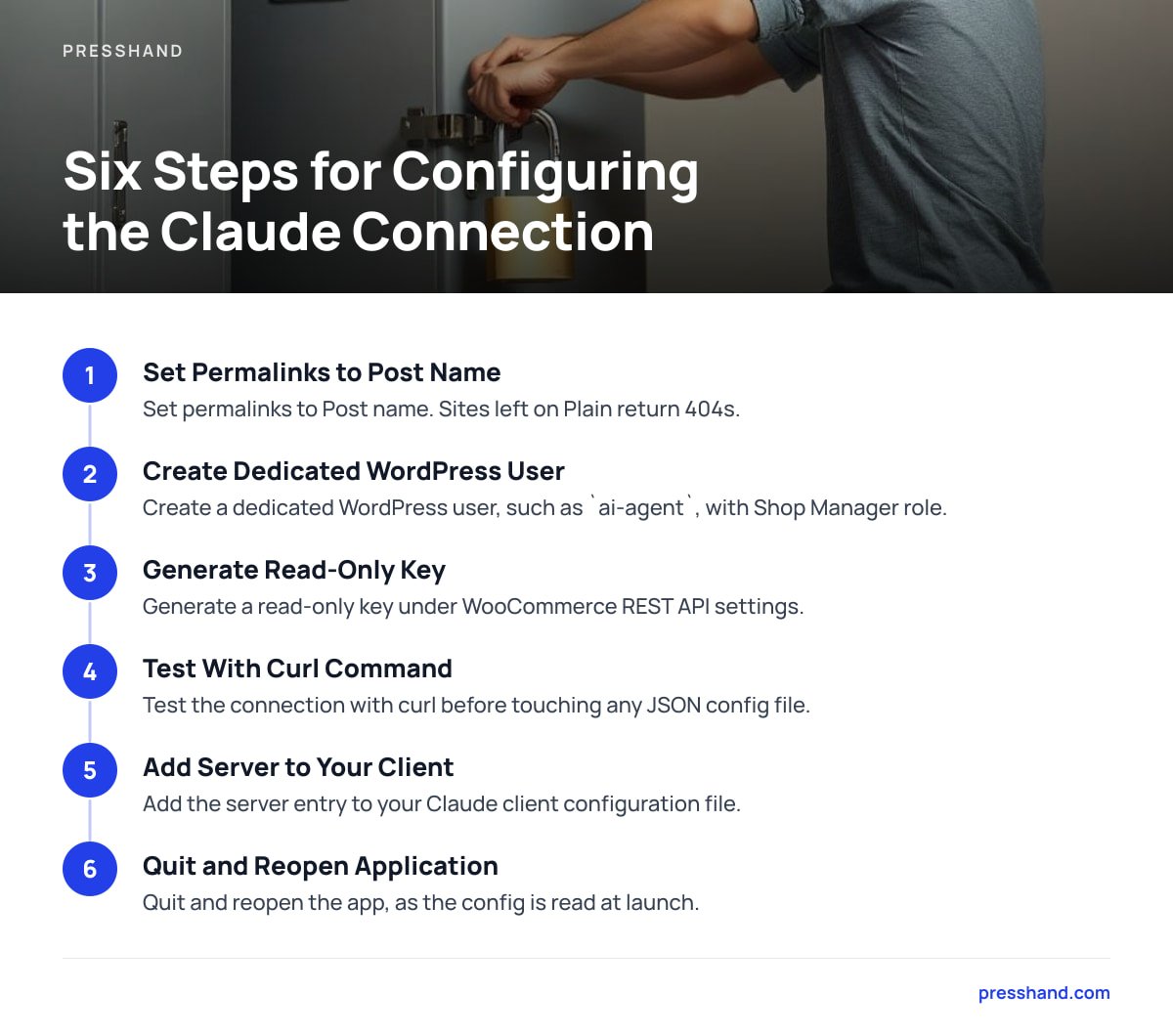
- Set permalinks to Post name. Settings → Permalinks. WooCommerce routes are WordPress REST routes, so the WordPress REST API handbook is the reference for how they are addressed. Sites left on "Plain" return 404s that look like authentication failures.
- Create a dedicated WordPress user. Call it something like
ai-agent, give it the Shop Manager role, and create the key under that account so your logs stay readable. - Generate a read-only key. WooCommerce → Settings → Advanced → REST API. Read permission covers everything up to the first write task.
- Test with curl before you touch any JSON. If this returns product data, the credentials work and any later failure lives in the MCP layer:
curl -u ck_yourkey:cs_yoursecret \
  "https://store.example.com/wp-json/wc/v3/products?per_page=1"
- Add the server to your client. Claude Desktop reads
claude_desktop_config.jsonfrom~/Library/Application Support/Claude/on macOS and%APPDATA%\Claude\on Windows:
{
  "mcpServers": {
    "woocommerce-store-a": {
      "command": "npx",
      "args": ["-y", "your-woocommerce-mcp-server"],
      "env": {
        "WOO_URL": "https://store.example.com",
        "WOO_CONSUMER_KEY": "ck_yourkey",
        "WOO_CONSUMER_SECRET": "cs_yoursecret"
      }
    }
  }
}
- Quit and reopen the app. The config is read at launch. A running Claude Desktop will not notice your edit, and Claude Code will not either until you restart the session.
Finish with one read-only question: "List the five most recent orders and their statuses." When that works, the connection is real. Swap in a read/write key only when you have a specific write task and a staging clone to run it against.
Pro Tip: If you manage more than one store, give each one its own server entry with its own key and its own env block. One server holding four stores lets a prompt about Store A edit a product on Store B, and nobody notices until a customer does.
Five Failures, and What Each One Actually Means
| Symptom | Likely cause | Fix |
|---|---|---|
401 Unauthorized |
A stray space or newline in the key, or the site serves plain HTTP | Re-copy both values, confirm HTTPS |
404 rest_no_route |
Permalinks set to Plain | Settings → Permalinks → Post name |
403 rest_forbidden |
A read-only key used for a write call | Create a read/write key for that task |
| Claude reports success but nothing changed | The tool returned an error and the model paraphrased it | Ask it to paste the raw JSON response |
| Requests time out | More objects than one page holds | Loop with the page parameter |
That last row is the one that bites at scale. WooCommerce caps per_page at 100 on most endpoints, so a 12,000 order export is 120 requests, and every response lands in the model's context window where you pay for it.
per_pagetops out at 100 in the WooCommerce REST API. Pulling 12,000 orders through an AI client is 120 requests, and the model reads every one of them.
Locking It Down Before You Trust It

OWASP's API Security Top 10 lists broken object level authorization as the top API risk. An AI client with a write key matches that shape precisely: the model chooses which object IDs to send, and every ID in your store is reachable.
Five habits that hold up under review:
- One key per agent, named by purpose.
claude-reports-readonlyandclaude-pricing-writetell you what happened when you audit keys in six months. - A dedicated WordPress user per key. WooCommerce attributes order notes and product edits to the user who owns the key, so the trail names
ai-agentinstead of you. - Revoke when the task ends. A write key that exists for a four hour job should not still exist on Friday.
- Staging first, production second. A database clone with regenerated keys is cheap insurance for anything touching prices, stock or order status.
- Check which actions send email. Marking an order completed triggers the Completed order email by default. Test status transitions on the clone, never on a live customer.
Most WooCommerce stores keep card data out of scope by using a hosted payment gateway, so the API key never sees a card number. It does see customer records. If you take payments directly and your store falls under PCI DSS, a new credential with write access is a scope question. The PCI Security Standards Council publishes the current standard and its scoping guidance.
When Connecting Claude to WooCommerce Is the Wrong Answer
The obvious move is to point a full read/write key at the live store and let the model work. For three jobs, that is the wrong call.
- Rule changes across thousands of SKUs. The REST API is one request per object and one model decision per change. A CSV import or a WP-CLI command does the same job in seconds against the database. Keep the model on copy and reporting, and let the database handle the arithmetic.
- Anything that moves money. Refunds, captures and gateway settings belong in the admin screen where you can see the totals before you commit.
- One-off edits. If you need a single product description rewritten, paste it into a chat window. The setup pays for itself somewhere around a dozen recurring tasks, and not before.
Where it earns its keep: recurring sales reports, product copy at volume, coupon administration, category cleanup, and the weekly stock check you currently do by hand.
If you run ChatGPT alongside Claude, the three routes for a ChatGPT WordPress integration cover the same ground with different trade-offs.
Run Every Store's WordPress Side Without a Per-Site Fee
If the tasks you want off your plate are the WordPress side of the store, meaning product copy, landing pages, menus, images, plugin updates, comment moderation and on-page SEO, Presshand handles it. It is a WordPress MCP client that runs on your own machine or server and connects Claude or ChatGPT to every site you own, with 83 jobs including Live-page SEO scoring out of 100, and support for Yoast, Rank Math, All in One SEO and SEOPress. One licence costs $97 one time with no per-site fees and no monthly cap, the Agency licence is $197 with rebrand and resell rights, and yearly updates after the first 12 months are optional at $49.
The honest limit: Presshand automates WordPress, meaning posts, pages, menus, plugins, images, CSS, comments and SEO. It does not replace the WooCommerce API key and permission model covered above, and it cannot touch orders, coupons or stock counts. Read the spec sheet, ours included, against the endpoints you actually need before you buy anything in this category.
Frequently Asked Questions
Is there an official Claude integration for WooCommerce?
No. Anthropic publishes the Model Context Protocol rather than a WooCommerce connector, and WooCommerce exposes its own REST API. Everything that connects the two is a bridge that you or a developer assembles, which is why the credential setup is the part worth getting right.
Can Claude change prices and cancel orders in my live store?
Only when the API key you hand it has write permission. A read key limits Claude to fetching data. Use a read key while you learn the setup, then create a read/write key for a specific task and test it against a staging clone first.
How do I stop Claude from touching the wrong store?
Run one MCP server entry per store, each with its own consumer key and secret. A single multi-store server lets a prompt about one site reach another, and the mistake only shows up later in an order or product record.
How many orders can Claude read at once?
WooCommerce caps per_page at 100 on most endpoints, so a 12,000 order export takes 120 requests. When you only need figures, ask the reports endpoint for sales totals instead of pulling individual order records.
Does this break when a store uses custom order statuses?
Plugin-defined statuses are not part of the core WooCommerce order status list, so filters built on standard values will miss them. List your statuses at the top of the prompt so the model uses names that exist.
Do I need to be a developer to set this up?
You need to edit a JSON config file and paste two credentials, roughly the skill level of installing a WordPress plugin. Debugging a 401 takes patience, and the curl test in step four removes most of that work.
Sources
- Model Context Protocol | Anthropic
- WooCommerce REST API | WooCommerce
- WordPress REST API Handbook | WordPress Developer Resources
- OWASP API Security Top 10 – 2023 | OWASP
- PCI Security Standards Council | PCI SSC