
Giving an AI MCP access to WordPress is risky, and the risk depends on how you manage it. A controlled local client installed on your infrastructure is safer than an external, open API connection. External access exposes your site structure and user data to third-party dependencies. A controlled client keeps permissions and execution on your own hardware.
TL;DR:
- MCP access gives AI the ability to perform administrative tasks beyond simple content generation.
- Granting broad API access to external AI providers introduces security vulnerabilities and data exposure.
- AI integration requires a clear understanding of the specific permissions granted at each step.
- The ideal setup runs on local client infrastructure; external cloud permissions should not be the only control.
- Safety depends on how many systems the AI can touch and where the execution environment resides.
Table of Contents
- Understanding MCP Access: What the AI Can Actually Do
- The Risks of Unrestricted AI Permissions
- Risk Mitigation: How to Build a Safer AI Workflow
- Beyond Safety: The Practical Efficiency Argument
- Practical Steps for Safe AI Deployment
- When AI Becomes an Essential Workflow Partner
- Frequently Asked Questions
- Sources
The Security Trade-Offs of AI Machine Control: Is It Safe to Give an AI MCP Access to WordPress?
Large language models (LLMs) are now used to manage web infrastructure, and "AI integration" has become a common term in digital marketing. For agencies and freelancers managing a portfolio of client sites, the push for efficiency meets the reality of digital security. The core question is whether it is safe to give an AI Machine Control Protocol (MCP) access to WordPress. It is a question of risk management. You must assess the permissions granted, where processing happens, and the potential for unintended outcomes.
In this context, Machine Control Protocol (MCP) access means giving an AI administrative rights to manipulate WordPress beyond writing a new blog post. It can manage plugins, alter CSS, modify user roles, update SEO meta-fields, and interact with the site’s database or core files.
Understanding MCP Access: What the AI Can Actually Do
Moving Past Content Generation
Traditional AI tools were useful for generating copy, a low-risk interaction. Full MCP integration lets the AI act as a digital administrator. When an AI has this access, it can do more than suggest a headline. It can execute a command like "Fix the image sizing across all posts to be fluid," or "Update the meta description using the Rank Math API."
This level of interaction provides the large efficiency gains that modern agencies need. By connecting these systems, you avoid manually logging into multiple dashboards to perform repetitive maintenance tasks across dozens of sites. This capability is detailed in the discussion on How to Connect ChatGPT to WordPress.
The Risks of Unrestricted AI Permissions
Data Exposure and Mismanagement
The primary concern with broad AI access is data leakage and unintended modifications. If an AI has sweeping access without guardrails, it can misinterpret a prompt or execute an erroneous command. That can lead to broken site functionality, compromised user data, or inadvertent content publishing that violates client brand guidelines.
For example, if you instruct an AI to "Optimize the page speed," it might identify bloated scripts and also disable a proprietary tracking plugin you did not realize was vital. This risk grows when the AI operates across multiple client accounts at once.
Broad AI permissions let the AI manage your entire digital presence, from backend code to frontend user experience, in addition to writing copy.
The Security Threat of Third-Party APIs
When you grant an AI access through a public third-party API, such as connecting directly to OpenAI or Anthropic servers without a protective layer, you introduce a point of failure. Your data is processed through external servers outside your direct administrative control. These providers have strict security standards, but every third-party piece of code adds risk.
If the external service has an outage, your ability to manage the site is compromised. Reliance on external cloud processing can also add latency to critical site functions, a trade-off often ignored in the rush toward automation.
Risk Mitigation: How to Build a Safer AI Workflow

Principle of Least Privilege
The most effective defense against AI misuse is the principle of least privilege. The AI should only have the permissions necessary to complete the assigned task. If the goal is generating blog posts, the AI should only have permissions for post creation and SEO meta-tag editing. It should not have authority to modify user permissions or alter core theme files.
To implement this, use a structured integration approach. Do not use a single, monolithic "God-level" key; segment AI permissions by function. This disciplined approach is a granular permission model.
Beyond Safety: The Practical Efficiency Argument
The Economic Cost of Manual Management
Security concerns are valid, but the operational cost of not integrating AI matters too. Imagine an agency managing 50 sites. Updating SEO across 50 sites, fixing image compression, and updating internal linking structures takes a human team hundreds of man-hours per week. That is an ongoing drain on resources.
Advanced AI tooling reduces that time to minutes. The solution is to automate the tools within a secured, controlled environment. Understanding how to set up an MCP server is the first step toward that control. It covers local and remote execution How to Set Up an MCP Server: Local, Remote, and When Not To.
Managing Complexity with a Localized Client
The architecture of the solution matters here. A localized AI client such as [Press Hand] runs on your server or local machine. Sensitive API keys, site-specific credentials, and the execution environment stay within your security perimeter. The AI interacts with WordPress through your client, which executes the commands. Your software mediates the data flow and provides a buffer of security and control.
Practical Steps for Safe AI Deployment
Establishing Operational Protocols
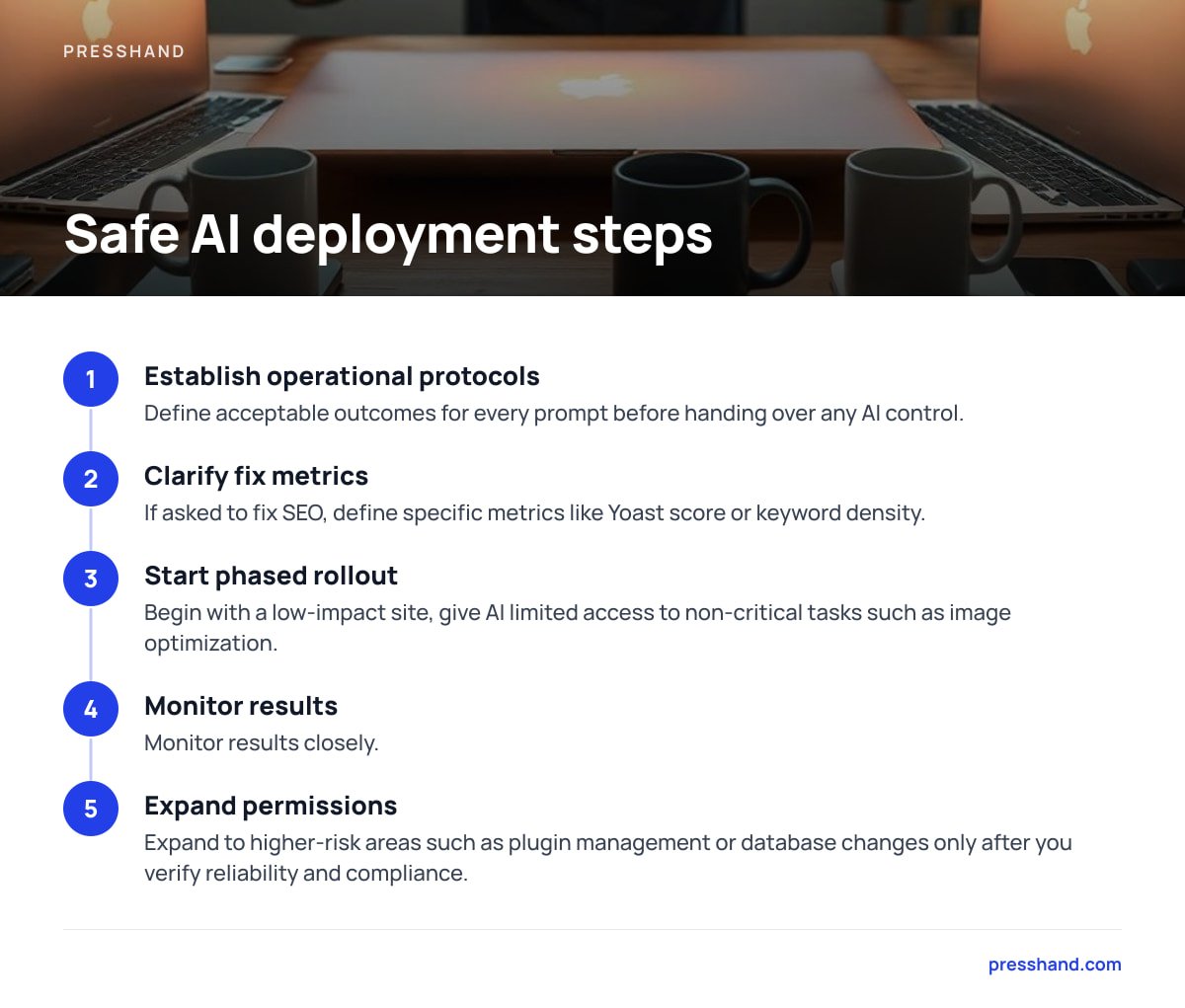
Before handing over any AI control, establish a protocol. Define acceptable outcomes for every prompt. If the AI is asked to fix SEO, what specific metrics count as a fix? A Yoast score increase, or a specific keyword density adjustment? Ambiguity makes safe automation harder.
Use a phased rollout. Begin with a low-impact site, give the AI limited access to non-critical tasks such as image optimization, and monitor results closely. Expand permissions to higher-risk areas such as plugin management or database changes only after you verify reliability and compliance with your standards.
Pro Tip: Never grant an AI access to your entire WordPress installation as a "Super Admin" if you can avoid it. Instead, use the AI client to manage specific, isolated functionalities via dedicated APIs, such as the Yoast API or Rank Math integration. That limits the damage any error or misuse can cause.
When AI Becomes an Essential Workflow Partner
When security risks are addressed through managed, localized infrastructure, AI becomes an operational necessity. Unmanaged exposure remains the risk. For agencies dealing with many sites and administrative overhead, manual work becomes hard to justify.
If you want to consolidate AI power across your portfolio, Press Hand runs as a dedicated client on your hardware. It connects advanced models like Claude and ChatGPT to every site you own under one roof and handles upwards of 83 complex WordPress jobs. That includes updating menus, optimizing plugins, and managing Live-page SEO scoring out of 100. The initial license is $97 for every site you manage. The software is the control mechanism; you are still responsible for the quality of your prompts and the technical health of the site hosting your client.
Frequently Asked Questions
Can I give my AI access to my WordPress site if I use a shared hosting plan?
You can grant MCP access on shared hosting, but it is not advised for high-volume AI operations. Complex AI processes need consistent resource availability and the localized control that comes from running the software on your own stable server or local machine.
What is the difference between an API connection and a dedicated MCP client?
A standard API connection passes control and data to an external service, placing trust entirely in that third party. An MCP client acts as a secure proxy; it executes commands locally in your controlled environment and mediates the AI's instructions.
Will granting an AI full MCP access break my theme or plugin?
It is possible if the AI misinterprets a command or the prompt is ambiguous. Use a phased rollout and specific, scoped permissions. Start with low-impact, high-frequency tasks like image optimization before granting administrative access.
How do I ensure the AI is adhering to my brand guidelines?
Embed your brand rules directly into the system prompts. Treat the prompt as the policy document. If the AI ignores the policy, refine the prompt.
Sources
- Web Application Security & OWASP Top 10 | OWASP Foundation
- Data Privacy Guidelines for AI Integration | General Data Protection Regulation (GDPR)
- WP REST API Documentation | WordPress Core Development Team